Aegisify Security: WordPress Protection Through Audit, Shield, and WAF
A public WordPress website does not need to be famous, heavily trafficked, or controversial to attract automated attacks. Once a site is reachable from the internet, scanners can test login pages, REST API routes, plugins, themes, exposed files, configuration mistakes, and familiar WordPress paths.
The practical objective is not to panic over every request. It is to identify meaningful pressure, understand what changed, reduce exploitable exposure, and respond before routine scanning becomes account takeover, malware, downtime, SEO spam, checkout disruption, or lost customer trust.
A Real Security Incident Reinforced the Need for Layers
Aegisify recently handled its first confirmed security incident. Monitoring helped track the activity, controls stopped and blocked the malicious behavior, and the recovery process cleaned and restored affected files and database state. We are not presenting that event as proof that any product can make a website invulnerable. It demonstrated something more practical: evidence, enforcement, cleanup, and recovery must work together.
| The Continuous WordPress Threat Environment | |
|---|---|
| Automated Attack Pressure | Wordfence currently states that the average WordPress site is attacked once every 34 minutes and receives about 43 daily probing requests involving passwords, plugins, themes, and other entry points. [1] |
| Network-Scale Activity | Wordfence reported 9.1 billion WAF requests blocked or logged and 13.8 billion brute-force attempts blocked across its network during Q4 2025. [2] |
| Plugin Vulnerability Volume | Patchstack reported 11,334 new WordPress ecosystem vulnerabilities in 2025, a 42% increase over 2024, with 91% identified in plugins. [3] |
| Operational Meaning | These figures do not predict the exact traffic or risk for one website. They show why software inventory, login protection, vulnerability review, request filtering, local evidence, and repeatable remediation belong in normal WordPress operations. |
Why WordPress Attracts Automated Attacks
Most attack traffic is not personal. Bots scan large numbers of websites because the process is inexpensive, fast, and repeatable. They search for one weak password, vulnerable plugin, exposed backup, permissive API route, unsafe upload path, or outdated component that can be exploited at scale.
Official WordPress guidance explains that brute-force attempts are automated and often distributed through botnets. Even unsuccessful attempts can consume resources. Recommended defenses include strong unique passwords, two-factor authentication, login rate limiting, current software, monitoring, and WAF or edge protection. [4]
| Common WordPress Attack Activity | |
|---|---|
| Authentication Abuse | Brute-force attempts, credential stuffing, password spraying, username discovery, XML-RPC pressure, and repeated requests against login or account-recovery routes. |
| Vulnerability Probing | Requests for known plugin, theme, core, and dependency weaknesses, including older vulnerabilities that remain useful because many websites are not patched promptly. |
| Injection and Traversal | SQL injection, cross-site scripting, path traversal, local or remote file inclusion, command-injection indicators, and malformed payloads targeting application inputs. |
| Exposure Discovery | Searches for configuration files, backups, logs, development artifacts, directory listings, exposed endpoints, API descriptions, and predictable WordPress paths. |
| Resource Abuse | Automated scanners, malicious bots, login floods, API abuse, and application-layer request bursts intended to consume server or application resources. |
The Real Problem Is Not Only Blocking Traffic
Security becomes difficult when evidence is scattered. Failed-login alerts may appear in one tool, PHP warnings in debug.log, plugin changes in WordPress, firewall events in another dashboard, and scan findings in a report nobody has time to interpret. A WooCommerce operator may know that checkout is behaving differently without knowing whether the cause is bot pressure, an API problem, a plugin conflict, or an unauthorized change.
A useful security workflow connects outside-in traffic inspection with inside-out WordPress evidence. It should show what was targeted, what changed locally, which software is affected, how serious the business impact may be, and what should be fixed first.
| Aegisify Security Layered Operating Model | |
|---|---|
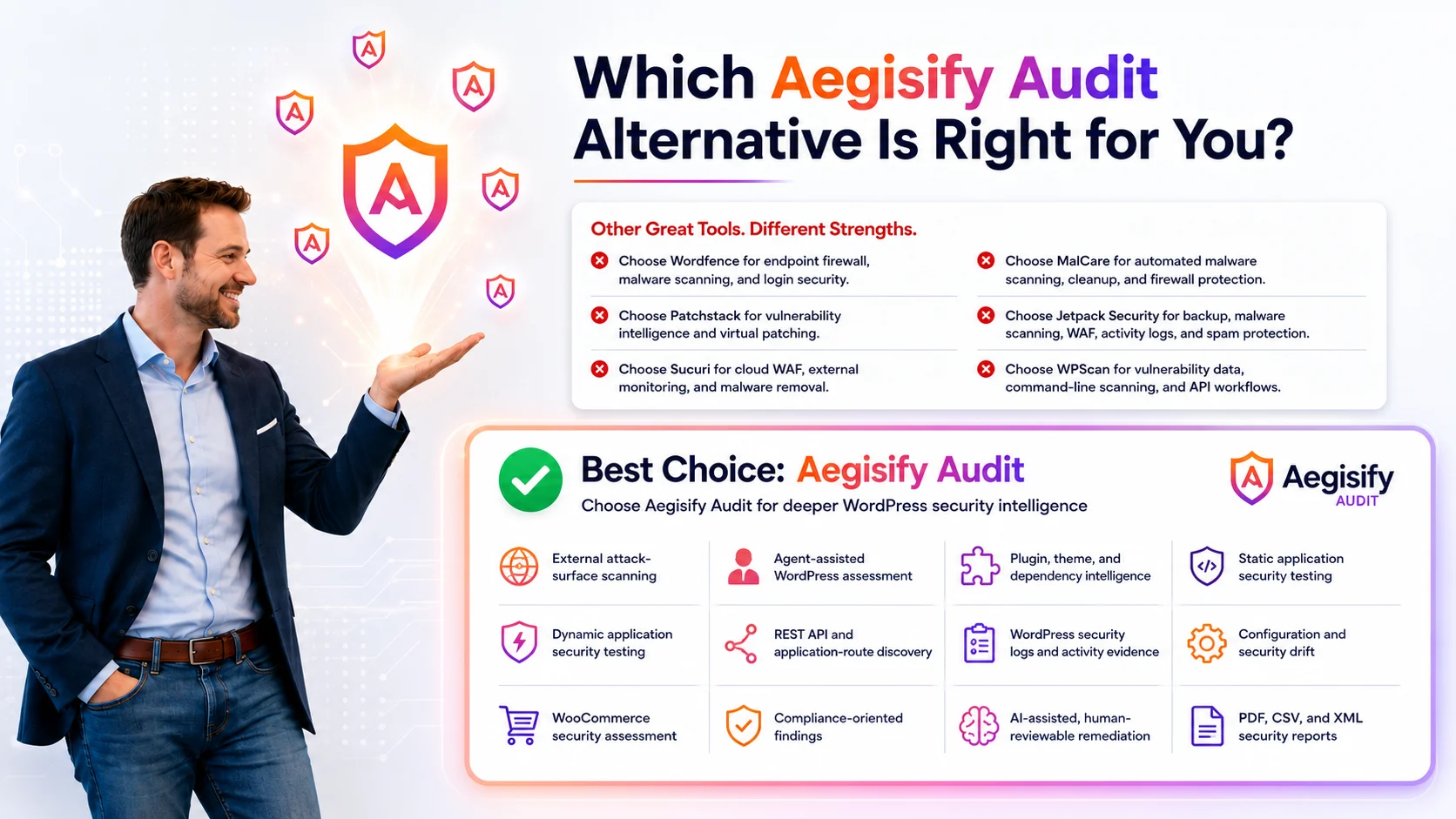
| Aegisify Audit | Provides the SaaS audit workspace, verified-target scanning, local Agent evidence, vulnerability intelligence, SAST, DAST, API discovery, WordPress and application logs, reporting, scan comparison, and prioritized remediation workflows. |
| Aegisify Shield | Provides WordPress-side hardening, login safeguards, activity monitoring, file-integrity visibility, malware indicators, alerts, role review, database tools, and controls that reduce avoidable local exposure. |
| Aegisify WAF | Inspects application-layer requests and helps identify or block malicious payloads, automated scanning, abusive behavior, API pressure, login-route attacks, and exploit patterns before deeper WordPress processing. |
| Combined Outcome | The layers help teams move from disconnected alerts to an evidence-driven process: observe the pressure, detect local changes, prioritize the risk, enforce appropriate controls, verify remediation, and continue monitoring. |
Aegisify Audit Connects Local WordPress Data With SaaS Security Analysis
Aegisify Audit combines a SaaS security workspace with an authorized Agent installed on the WordPress site. External scanning shows what the public internet can reach. The Agent adds structured evidence that an outside scanner cannot reliably see.
| Local Software Evidence | Inventory WordPress core, plugins, themes, must-use plugins, versions, known vulnerable components, and Composer, npm, or PyPI dependencies where applicable. |
|---|---|
| Activity Sensors | Review plugin installation and updates, theme changes, file edits, media activity, settings, users, successful and failed logins, password resets, posts, comments, and other material WordPress events. |
| Runtime Context | Use controlled telemetry access to review approved debug.log errors, warnings, notices, and conflict indicators when that source is deliberately enabled. |
| Application Testing | Run vulnerability scans, static application security testing, dynamic application security testing, API discovery, route review, and WooCommerce-focused checks according to the authorized scan profile. |
| Reporting and Comparison | Organize findings by evidence, severity, rule family, affected component, remediation guidance, validation steps, and change across completed scans. |
OWASP describes SAST as analysis of non-running source code and DAST as black-box testing of a running application. They answer different questions. When combined with local WordPress telemetry, they provide a stronger view than either technique alone. [5] [6]
Aegisify AI Helps Convert Security Noise Into Remediation Priorities
Artificial intelligence is useful when it analyzes evidence rather than making unsupported claims. Aegisify AI can review available vulnerability findings, static-code results, DAST observations, WordPress activity events, runtime evidence, configuration drift, domain context, and threat-intelligence signals.
| Correlate Signals | Connect findings that may be related by component, route, user, timing, change event, or attack pattern instead of treating every alert as isolated. |
|---|---|
| Prioritize Impact | Highlight issues more likely to affect security, availability, revenue, customer trust, or privileged access. |
| Explain the Evidence | Translate technical observations into clearer language while separating confirmed facts from items requiring additional validation. |
| Guide Remediation | Provide human-reviewable next steps, backup and staging considerations, rollback planning, and verification guidance. |
AI does not replace the administrator, developer, agency, or security professional. It helps qualified reviewers spend less time sorting noise and more time validating and addressing meaningful risk.
Aegisify Shield Reduces Avoidable Weaknesses and Tracks Important Change
Aegisify Shield operates inside WordPress. Its purpose is to strengthen authentication, monitor local activity, detect drift, and make important security events easier to review.
| Authentication Protection | Apply multi-factor authentication, login monitoring, appropriate throttling, privileged-account review, and access safeguards. |
|---|---|
| Activity and Alerts | Record meaningful WordPress activity and notify administrators about events that may require investigation. |
| File Integrity | Detect unexpected changes across WordPress core, plugins, themes, and monitored files so teams can investigate unauthorized or unexplained drift. |
| Hardening Controls | Review security headers, Content Security Policy support, roles, capabilities, database conditions, and other WordPress safeguards with administrative visibility. |
| Incident Context | Use event history and attack timelines to understand what happened before, during, and after suspicious behavior. |
Hardening cannot eliminate every vulnerability, but it can remove easy paths, reduce account risk, improve detection, and create stronger local evidence when something changes.
Aegisify WAF Filters Malicious Requests Before WordPress Executes Them
Aegisify WAF is the outside-in enforcement layer. It evaluates incoming HTTP requests and helps reduce harmful traffic before WordPress core, plugins, themes, APIs, or commerce workflows process the request.
| Attack-Pattern Detection | Identify SQL injection, cross-site scripting, path traversal, suspicious uploads, exploit payloads, and other malicious request patterns. |
|---|---|
| WordPress Route Protection | Address REST API abuse, user enumeration, login-route pressure, automated scanners, malicious bots, and endpoint-specific risk. |
| Behavior and Rate Controls | Use managed rules, behavioral indicators, threat scoring, request inspection, and appropriate rate controls to reduce abusive traffic. |
| Evidence and Overrides | Provide logs, triggered-rule context, filtering, and controlled manual overrides so the firewall does not become an unexplained black box. |
A WAF cannot explain every local file or settings change. That is why it belongs beside Shield and Audit rather than replacing them.
| A Practical WordPress Security Workflow | |
|---|---|
| 1. Establish Inventory | Identify WordPress core, plugins, themes, dependencies, users, privileged roles, forms, APIs, integrations, and business-critical workflows. |
| 2. Reduce Easy Access | Use strong unique passwords, MFA, least privilege, login safeguards, current software, and appropriate hardening controls. |
| 3. Inspect Incoming Traffic | Enable suitable WAF protections, review blocked requests, and tune controls without disrupting legitimate customers, crawlers, APIs, or administrators. |
| 4. Collect Local Evidence | Review activity sensors, file changes, software updates, configuration drift, authentication behavior, and approved runtime logs. |
| 5. Test Multiple Surfaces | Run vulnerability scanning, SAST, DAST, API testing, and WooCommerce or authenticated profiles where authorized and relevant. |
| 6. Prioritize and Remediate | Correlate evidence, focus on the most meaningful risks, back up the environment, test changes, preserve rollback options, and require human approval. |
| 7. Retest and Compare | Verify that the issue was addressed, confirm that business workflows still function, and compare results over time. |
| 8. Maintain Recovery | Keep protected, tested backups and documented restoration procedures. Prevention and detection are incomplete without a reliable recovery path. |
WordPress Security Questions
Can one WordPress security plugin provide complete protection?
No. Authentication controls, local monitoring, WAF enforcement, vulnerability analysis, application testing, remediation, and recovery perform different jobs. Layered security reduces dependence on any single control.
Does every blocked request represent a serious attack?
No. Logs can include harmless scanners, malformed automation, repeated probes, and more focused malicious behavior. Route, timing, source, payload, local changes, and affected software help determine priority.
Does Aegisify AI automatically change a production website?
The intended role is analysis and human-reviewable guidance. Security changes should be approved, backed up, tested, and verified by an authorized administrator, developer, agency, or security reviewer.
Why combine SAST, DAST, WAF logs, and WordPress activity?
SAST reviews code-level signals, DAST evaluates the running application, WAF logs show incoming request pressure, and local activity records what changed inside WordPress. Combined evidence provides better context.